Connect your AI to Pulse (MCP)
Pulse is an MCP server: your own AI (Claude Code, Claude Desktop, or the API's MCP connector) connects to a workspace and builds & reads events directly. No AI runs inside Pulse — you bring the agent.
1. Get a token
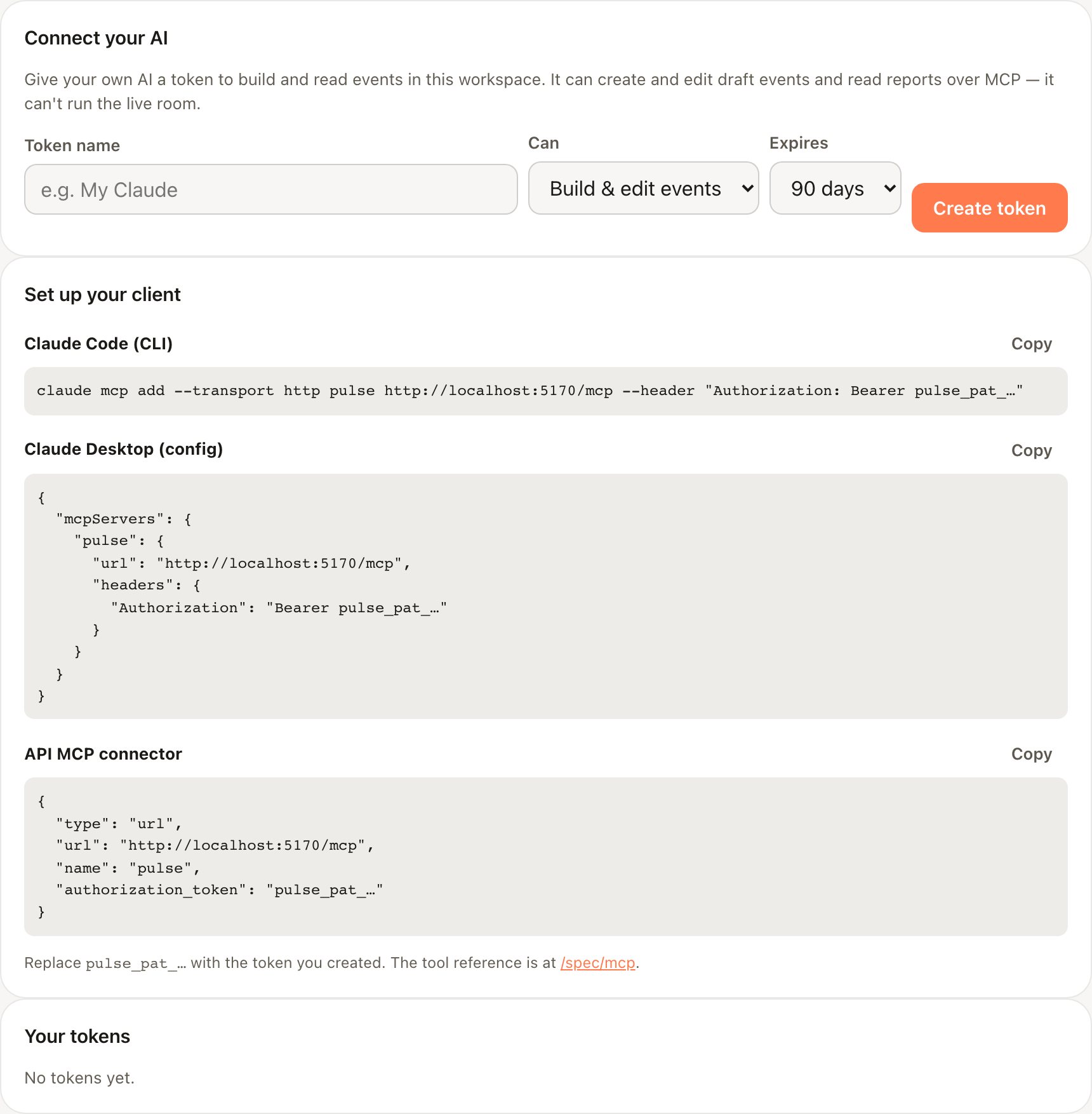
In the Pulse console, open Connect AI and create a personal access token. It's shown once (pulse_pat_…). Give it Read only or Build & edit events, and an expiry.

2. Point your client at /mcp
The endpoint is https://<your-workspace-host>/mcp, authenticated with Authorization: Bearer pulse_pat_…. The console gives you ready-to-paste config for the CLI, Claude Desktop, and the API connector.
claude mcp add --transport http pulse https://nowpresenting.net/mcp \
  --header "Authorization: Bearer pulse_pat_…"
The boundary
Setup-time write + read-anytime. An agent can create and edit draft events and read reports. It cannot run the live room (advance slides, launch polls, moderate) and cannot delete — the room is human-run. A read-only token can't write at all.
Tokens & limits
Every token you mint lists in the console with its capability, expiry, and last-used time; revoke any of them there. A token's capability can never exceed the role of the person who minted it.

Calls are rate-limited per token (a burst returns 429 with Retry-After), and an operator can disable MCP workspace-wide (calls then return 503). Both are transient — retry after the window.
Tools
| Tool | Access | What it does |
|---|---|---|
whoami | read | Confirm the connection (workspace, role cap). |
list_sessions | read | Events in the workspace (id, slug, title, status). |
get_session | read | One event's status, links, and content counts. |
export_blueprint | read | An event as an editable blueprint JSON. |
validate_blueprint | read | Check a blueprint; returns {ok} or {path,error,hint} errors. |
get_report | read | The end-of-event report (ended events only). |
create_session_from_blueprint | write | Create a new draft event; returns id + join/setup links. |
update_session_from_blueprint | write | Re-apply a blueprint onto a draft in place (id/join unchanged). |
Resources & the prompt
pulse://spec/event-blueprint— the live blueprint schema (read it before authoring).pulse://spec/mcp— this reference, as an MCP resource.- The
build-my-eventprompt walks the review → interview → validate → create flow.
validate_blueprint, fix each error by its path, then create_session_from_blueprint. It's the same one blueprint format used everywhere in Pulse.Not yet
claude.ai web custom connectors (which require OAuth) aren't supported yet — the token flow works with Claude Code, Claude Desktop, and the API MCP connector today.